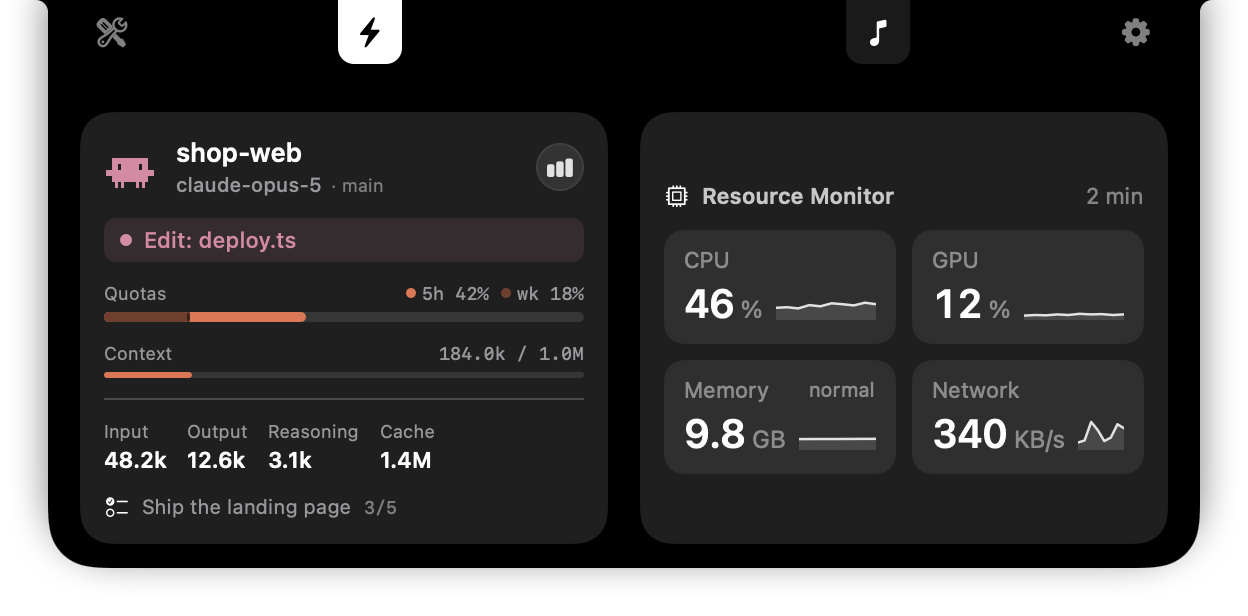
AI agents
What your agent is doing and what it's asking. Answer without opening the terminal.

Dynamic Island for MacBook
Your agent, music and next meeting, right in your MacBook's notch. Hover and it opens up. Move away, and it's just a notch again.Tap the notch and it opens up. Tap away, and it's just a notch again.
Spring 2027 macOS 14.6 or later One-time purchase
It's live — hover the notchIt's live — tap the notch
Each app gets one icon and one line. Hover for the rest.
Turn on what you use. The rest stays out of sight.
What your agent is doing and what it's asking. Answer without opening the terminal.
Join your next meeting from the notch. Mute, turn off your camera or leave without hunting for the window.
Whatever's playing on your Mac. Artwork, scrubbing and a live equalizer by the notch.
Park a file in the notch for later, then send it on with AirDrop.
Export progress runs around the notch. A green check when it's done.
A focus timer around the notch, with today's to-dos beside it.
Long commands, Xcode builds and Docker containers. The notch tells you when they finish.
CPU, GPU, memory and network. Battery for your AirPods and mouse.
Translate text, convert a file, grab a color, check the time in another city. No new tab required.
Give it a week, and you'll forget Apple didn't put it there.
The island extends the notch in the same black, with matching corners, and opens with the spring macOS uses for its own animations.
On macOS 26 or later, you can switch on dark glass and the island takes on the colors of your wallpaper.
A native Swift app without Electron or a bundled browser engine. In full-screen apps it can get out of the way entirely.
Turn each widget on or off and drag it between tabs and columns. SparkU suggests the first layout itself.
Any app or script can put its own status line, indicator or widget in the notch: a CI build, a delivery on its way, your home server.
Open APIThere's no account and no telemetry. SparkU only asks for the permissions your enabled widgets need.
Coming spring 2027
The beta goes out in waves. Tell us what you do and which Mac you're on, and we'll let you know when it's your turn. We only email about your invite and the launch.
Join the betaSix quick questions, two minutes.
Not here? Write to support@sparku.su
Yes, if it runs macOS 14.6 or later — Apple silicon or Intel. No notch required: on a Mac without one, the island sits at the top edge of the screen and works the same way. With your MacBook closed and connected to a display, it moves to the top of that display.
A one-time purchase, no subscription. We'll announce the price closer to launch.
Spring 2027. The beta is rolling out in waves right now.
Early access and a say in which integrations come next.
No account, no telemetry. SparkU asks for a permission only when you turn on a widget that needs it: Accessibility for call controls in Zoom, Teams and Discord, plus Calendar, Camera, Bluetooth and Automation for iTerm2. Audio Recording is only for the live equalizer — it's how macOS lets apps hear system audio — and SparkU records nothing. It goes online to check your license and updates, and when you translate text.
No. The live equalizer only runs while music is playing; the rest of the time, no audio is processed.
Claude Code, Codex, Cursor, OpenCode, Antigravity and Hermes. Need another one? Mention it in the beta form.
Your call: the island can hide to stay out of the way, or stay on top — handy for keeping an eye on a call or your agent while you present.
Hover or click — whichever you prefer. It's a single setting.
English and Russian — it follows your macOS language.